Simulations for training managers, educational institutions and organizations practicing complex tasks. We turn training materials into interactive scenarios, with learner feedback and instructor monitoring adapted to the exercise.
Up to 12 headsets at onceInstructor toolsOperating at the Technion↓
Founder experience and projects
Relevant experience
Setting up a VR training environment
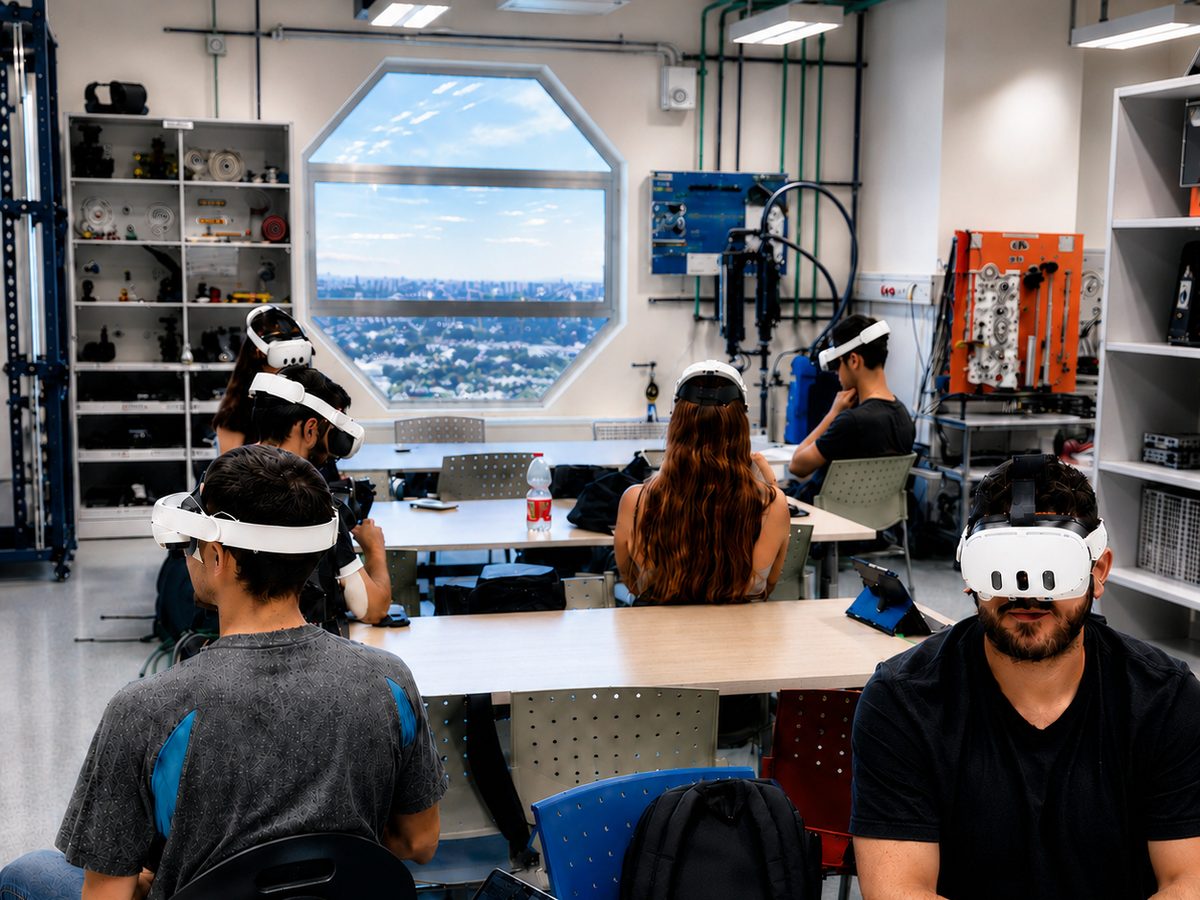
The Technion VR classroom demonstrates the operational side of deployment: equipment selection, app distribution and instructor tools. Training scenarios are defined separately around learning objectives.
Meta Quest classroom with instructor monitoring stations
Up to 12 Meta Quest 3 headsets and instructor tablets support group monitoring and learner assistance. Consulting and setup included hardware selection, space planning, configuration, testing and handover.
We define the system with subject experts and trainers: what learners must do, what feedback they receive and how instructors assess progress.
01 / SAFETY
Operational scenarios and procedures
Turn a professional task into a sequence of simulation actions. Routine operations, faults and decision points can be included using content provided by the organization.
02 / SKILL
Feedback during practice
Plan instructions, responses to errors and repeatable exercises. Guidance is adapted to the training stage and required independence.
03 / TRAINING
Tools for the training team
Define the data instructors need, such as completed stages, errors and completion time. Monitoring tools and data storage are agreed during planning.
More than a decade of software and real-time 3D development in industry and research.
Yulia leads planning, design and development. Specialists join as the project requires, with one clear point of contact for you.
B.Sc Software engineering, TechnionMBA Tel Aviv University
Project stages
How we work
01
Map training tasks
Map the task, users and performance measures.
Deliverable: a scenario and success criteria
02
Pilot with learners
Test an initial exercise with the hardware and users.
Deliverable: an operational pilot
03
Develop scenarios and feedback
Connect scenarios, feedback and instructor tools.
Deliverable: a working training system
04
Deployment and staff training
Test in real conditions and train the team.
Deliverable: handover and instructor training
Before we start
Frequently asked questions
Does every training simulation require VR headsets?
No. We choose the platform based on the actions to practice, operating conditions and users. Desktop, mobile or AR may be a better fit.
How do you assess whether training is useful?
We define measures such as action sequences, errors, completion time or process understanding. We test them in a user pilot and decide which scenarios to expand.
What affects price and timeline?
The number of scenarios, 3D complexity, hardware, instructor tools and integrations. Development, equipment and deployment scope are defined during planning.
What should we prepare before planning a training simulation?
Bring a task description, existing training materials or procedures, and examples of learner difficulties. A subject expert from your team should validate the scenario and feedback. You do not need a software specification.
The next step
Let's discuss your project
Tell us who is learning, what they must do and what is hard to practice today. Together we will focus on a first scenario.