3D applications in Unity for product, training and engineering teams. We combine models, data and interfaces in tools for examining structures, changing parameters and operating processes in real time.
Real-time 3DCode and design togetherProjects at the Technion↓
Founder experience and projects
Relevant experience
An interactive 3D application
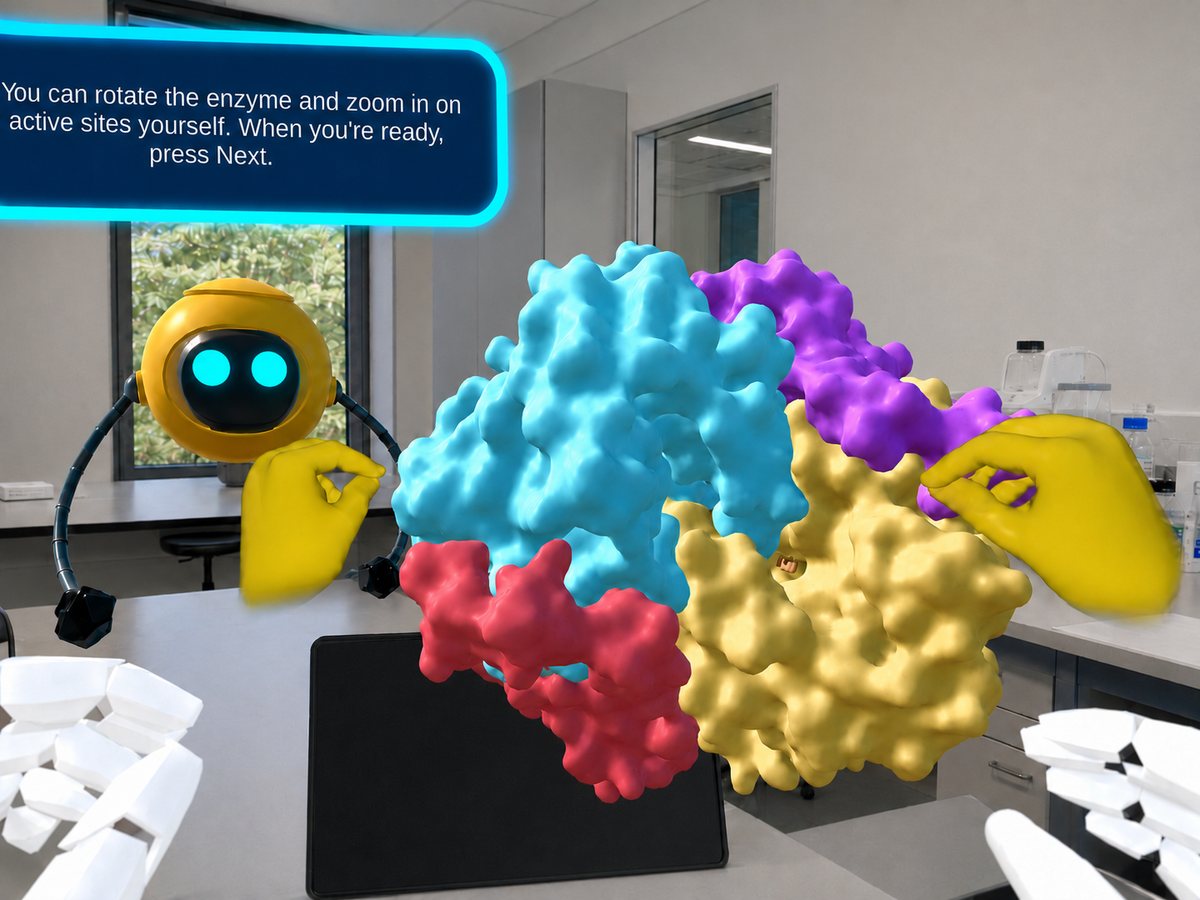
The enzyme module at the Technion demonstrates molecular models, hand interactions and guidance combined in one application.
INTERACTIVE SCIENCE
Enzyme module at the Technion
Enzyme module: molecular models with hand tracking
A mixed reality application showing molecular models in the real room. Users rotate and enlarge models using hand tracking, with guidance from Robi in Hebrew and English.
The video is currently unavailable. Try again or read about the project.
Service scope
Possible applications
This development suits tasks where users need to control the view or operate a model. We define the actions and level of detail before building the environment.
01 / EXPLORE
Explore models and structures
Rotate, enlarge, select components and display information layers on a model. Useful for engineering structures, systems and spatial processes.
02 / PRODUCT
Product configurators and demonstrations
Applications showing product options and operation. We define which changes users can make and how those changes affect the display.
03 / WORK
Interfaces for data and calculations
Connect user actions to existing data or calculations. The interface presents information in the context of the model and the working task.
More than a decade of software and real-time 3D development in industry and research.
Yulia leads planning, design and development. Specialists join as the project requires, with one clear point of contact for you.
B.Sc Software engineering, TechnionMBA Tel Aviv University
Project stages
How we work
01
Define user actions
Identify what users need to understand or do.
Deliverable: a clear core interaction
02
Test a model and interaction
Build the first interaction on target hardware.
Deliverable: a hands-on prototype
03
Develop interface and logic
Develop code, graphics and interface as one system.
Deliverable: an interactive product
04
Usability and performance testing
Check usability, performance and team handover.
Deliverable: a system ready to use
Before we start
Frequently asked questions
How does interactive software differ from a visualization video?
A video follows a predetermined path. Software lets users change viewpoint, select options and operate a model according to their task.
Can we use models or data we already have?
Yes, depending on format, file quality and usage rights. We assess what can be integrated and what needs adaptation for performance, interactions and target hardware.
Which platforms can you develop for?
Desktop, web, mobile and XR headsets. The choice depends on model size, interaction type and usage environment, and is made during planning.
What affects the development scope?
The number and condition of models, level of detail, interaction types and connections to existing data or systems. We also assess target devices to plan graphics load and loading times.
The next step
Let's discuss your project
Tell us what users should understand, choose or do. An initial model or idea is enough to begin.
Define the main interaction
Match the model and platform
Take the first step toward a working demonstration






 INTERACTIVE SCIENCE